Your Amazon book page: KDP keywords, categories and the rest.
Your Amazon page is where most readers decide whether to buy. This lesson covers the four parts you control, Amazon KDP keywords, categories, the description and your author page, using only what Amazon's own help pages say.
What you will do after this lesson
- Write seven KDP keywords that follow Amazon's rules.
- Choose three categories by checking where similar books sit.
- Draft a description of about 150 words and set up your Author Central page.
About the sources. Every rule below was read on Amazon's own help pages on October 20, 2026, and each one is linked. Amazon changes these pages. Before you publish, open the linked pages and check that the rules still read the same way.
What the page is for
For a nonfiction author whose book is meant to win clients or talks, the Amazon page has two jobs. It helps people searching for your topic find the book. And it convinces the people you send there, after a podcast, a talk or a LinkedIn post, that the book is worth reading. The second job matters more than most authors expect: many of your readers will arrive already knowing your name.
If you publish through Amazon's Kindle Direct Publishing (KDP), you set keywords, categories and the description yourself. If a publisher handles it, ask to see and approve each field. The rules are the same either way.
KDP keywords
KDP's help page Make your book more discoverable with keywords says relevant keywords "can boost your placement in search results on the Amazon Store," working alongside factors such as sales history and Best Sellers Rank. The rules on that page:
- How many: use up to seven keywords or short phrases, and watch the character limit in the text field.
- How to choose: think like a reader and imagine how you would search as a customer. Combine words in the most logical order.
- How to test: before publishing, search Amazon with each candidate. If the results are irrelevant, revise. Check the suggestions in the search box drop-down.
- Changes: you can change keywords and descriptions as often as you like, and should keep them consistent across formats (print, ebook, audio).
The same page lists what to leave out:
| Amazon says avoid | Example of the mistake |
|---|---|
| Information already in your metadata (title, contributors) | Repeating your subtitle as a keyword |
| Words already in your categories | "business leadership" when that is your category |
| Subjective claims about quality | "best leadership book" |
| Time-sensitive statements | "new," "on sale," "available now" |
| Information common to most items in the category | "book" |
| Spelling errors, and spacing, punctuation, capitalization or plural variants | "stock out," "stockout," "stockouts" as three keywords |
| Anything misrepresentative, such as an unrelated author's name | A famous author in your field |
| Brands you do not own or are not authorized to use | A software company's product name |
| Quotation marks, HTML tags, and Amazon program names | "Kindle Unlimited," "KDP Select" |
KDP also says it has "a zero tolerance policy for metadata that is meant to advertise, promote, or mislead," and that all keywords must comply with its terms.
Amazon's own examples of useful keyword types (setting, character types, plot themes, tone) are written for fiction. For nonfiction, the advice below is ours, not Amazon's: the closest equivalents are the reader's role, the problem they have, the result they want, the method or approach, and the setting (industry or situation).
Say your book teaches operations directors at mid-size distributors how to cut stockouts, and its title already contains "inventory." A first draft of keywords might be "best inventory book," "new supply chain book," "inventory." Every one breaks a rule: a quality claim, a time-sensitive word plus "book," and a word already in the title.
A rule-following set, built by role, problem, result, method and setting:
- wholesale distribution operations
- stockout prevention
- demand planning for distributors
- safety stock and reorder points
- warehouse management for managers
- supply chain consulting guide
- operations director handbook
Then test each one in Amazon's search bar. If "operations director handbook" returns nothing related, swap it for a phrase the drop-down suggests.
Categories
KDP's Categories page says "you can select 3 categories when creating a book in KDP." Its guidance:
- Research where similar books are placed on Amazon and in other bookstores.
- "Choose a book category that describes your book," and aim for categories popular enough to have reader interest but not so broad, or so specific, that your book gets lost.
- If no category fits, keywords can help Amazon decide where to shelve your book.
- Some categories are not available for every format.
- If an unrelated category is chosen, "KDP may remove or change the category." The page says Amazon does "not tolerate categorization that misleads readers."
- To add a category when you already have three, remove one first. Changes can take up to 72 hours to show.
- KDP support "cannot give you specific recommendations or strategies for picking book categories."
Open the Amazon pages of five books your reader already owns. In the product details on each page, the "Best Sellers Rank" line lists the categories the book ranks in (this is what it showed on the Amazon book pages checked for this lesson). Write those down. You will usually see the same few repeat. Pick the three that describe your book most honestly, one broad (a main business category), one specific to your topic, and one that matches your reader's industry or role if it exists. Do not pick a category only because it looks easy to rank in. Amazon's rule against misleading categorization applies, and a reader who finds your book in the wrong place will not buy it.
The description
KDP's Write a book description page sets a limit of 4,000 characters, including any HTML tags. It suggests a paragraph of about 150 words with a strong first sentence and sentences that are easy to scan. It lists what the description may not contain, including:
- Phone numbers, mail or email addresses, or website URLs.
- Reviews, quotes or testimonials, and requests for customer reviews.
- Advertisements or promotional material, and time-sensitive information such as tour or seminar dates.
- Availability, price or ordering information, and keywords or "book tags" phrases.
- Emojis.
It supports simple HTML: line breaks, paragraphs, bold, italics, underline, headings h4 to h6, and ordered and unordered lists. Headings h1 to h3 are not supported.
The structure Scribe Media teaches, in How to write a book description that sells, is a hook, the problem, the solution or change the book offers, and an invitation to read.
Your best-selling items are the ones you run out of. It does not have to work that way.
Most mid-size distributors plan inventory with tools built for companies ten times their size, or with a spreadsheet one person understands. The result is shelves full of slow stock and empty bins where the best sellers should be.
In this book, a supply chain consultant who has spent twenty years inside distribution warehouses lays out a plain method to:
- find the 50 items that drive most of your revenue
- set reorder points your team will actually follow
- cut stockouts without adding cash to inventory
If you run operations at a distributor and are tired of explaining empty shelves, start here.
(About 110 words. No quotes, no links, no dates, no price, so it follows each rule on the KDP page.)
Where do endorsements go, then? Amazon's About promotional content page says an author or publisher may post content in the book description, About the Author and Editorial Reviews sections of the product page, managed through Author Central. Put your blurbs in Editorial Reviews. Scribe Media's chapter How to get incredible blurbs for your book covers how to ask for them.
Your author page
Amazon Author Central, at author.amazon.com, is free to join. Its home page says joining lets you claim your Author Page and control your author profile on Amazon, Audible and in Kindle books; set up your author bio in more than one language; add your books and keep descriptions and editorial reviews up to date; and see U.S. NPD BookScan data, your sales rank and your customer reviews.
For a nonfiction author, the bio does most of the work. Write it for your reader, not your peers: who you help, what you have done that matters to them, and where they can find you next. Scribe Media's chapter How to write your author bio has a structure to follow. Use the same photo and one-line description of your work everywhere: your Amazon page, your website, your LinkedIn profile and your podcast pitches.
A word on rank and bestseller badges
KDP's Sales ranking page explains that ranks are based on customer activity relative to other books, update at least once a day, and weight recent activity more heavily. A book can be ranked in up to three Best Seller category lists. The page also says tracking sales rank is "not an accurate way to track your book's activity."
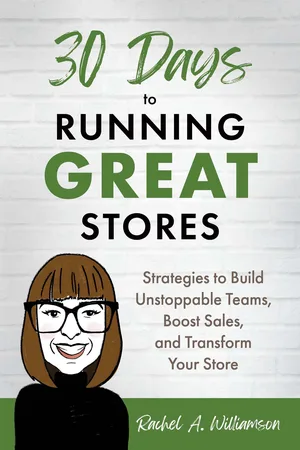
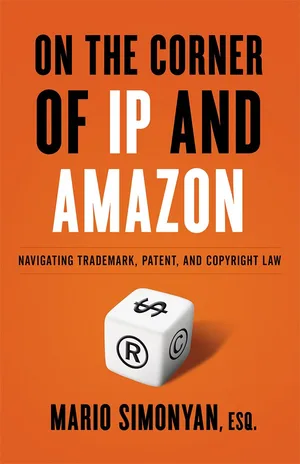
A "#1 bestseller" badge in a category is real and nice to have. Rachel A. Williamson's 30 Days to Running Great Stores reached number one on Amazon in its categories by day three (story), and Cesar Perez's Chase the Light was an Amazon bestseller its first week (story). But neither of those badges was the point of the book. Williamson's came alongside a speaking career; Perez's book also opened a career speaking to colleges. Meanwhile Mario Simonyan's firm has distributed close to 10,000 copies of his book without running a single Amazon ad and without trying to move its rank at all (story). These are strong results, not typical ones, and nobody can promise them. Lesson 10 covers what to count instead of rank.
Homework
Draft seven keywords
Use role, problem, result, method and setting. Cross out any that break a rule in the table above. Test each in Amazon search.
Collect categories from five books
Write down the categories under Best Sellers Rank on five books your reader owns. Choose your three.
Write a description of about 150 words
Hook, problem, solution, invitation. No quotes, links, dates or price.
Claim your Author Central page
Write the bio for your reader and add your endorsements to Editorial Reviews.
Sources, read October 20, 2026: KDP: Make your book more discoverable with keywords; KDP: Categories; KDP: Write a book description; KDP: Sales ranking; Amazon: About promotional content; Amazon Author Central.