Book trailers for nonfiction: what to make, and whether to bother.
A book trailer is a short video that tells a viewer what a book is, who it is for and where to get it. For a business or expert book, the most useful version is often not a trailer at all, but a minute of you talking. This guide covers five formats and when each fits, a 60-second script, where to post it, captions, and how much time to give it.
About the sources. Every platform rule below was read on that platform's own help or policy page on October 22, 2026, and is linked. Platforms change, so check the linked page first.
What a book trailer is
The idea comes from film, and novels borrowed it: moody footage, music, a few lines of text, the cover at the end. A nonfiction trailer has a different job. The viewer is not asking "what happens next?" They are asking "does this person know something I need, and can I trust them?"
So for nonfiction, a trailer is any short video that names the reader's problem, shows the author is worth hearing, and says where to get the book. That opens up formats a novelist would never use, like a clip from a talk or a podcast.
Does a nonfiction book need one?
Only if it has somewhere to live and someone to reach. Start with the book's job, the one result the book is meant to produce (Lesson 1 explains how to name it).
| The book's job | The video that helps most | Skip |
|---|---|---|
| Win clients | A minute of you to camera, sent to named prospects and placed on the book's page | Stock footage and music |
| Earn speaking invitations | A clip of you on a stage, or the full talk | Animated text alone |
| Reach readers (memoir, self-help, broad business) | A short author video plus a vertical cut for social feeds; animated quotes can fill gaps | A costly production before you know where it will run |
If a recording of you already exists, a talk, a podcast interview or a webinar, cut a clip from it before you script anything new. If none exists, record one minute to camera. Make a produced trailer only when you can name the page, the post or the email where it will run.
Five formats, and when each fits
1. Author to camera
You, talking to the lens for a minute about the problem the book solves. A phone on a stand, window light and a clip-on microphone are enough. It is the closest thing to meeting you, so it suits a book whose job is clients. Its risk is rambling, which the script below fixes.
2. A clip from a talk
Thirty to ninety seconds of you on a stage, ideally one story and the point it makes. It proves something a trailer cannot: that a room listened to you. Check the rights first. TED's usage policy says TED Talks may not be edited, "including by sharing truncated versions or clips," and that using a talk in a commercial context requires a license. If your talk sits on TED's or a TEDx channel, ask the organizer what you may do with it, and link to the full talk until you have a written answer. For other events, ask the host and whoever filmed it.
Source: TED Talks Usage Policy.
3. A clip from a podcast
Most interviews hold one minute where you tell a story well. Cut that minute, with captions and the show's name on screen, and ask the host before you post it. The podcast tour lesson covers getting the interviews in the first place.
4. A reader on camera, only if real and permissioned
A real reader saying, in their own words, what changed after they read the book. Use this only with a real person, their exact words and their written permission to use their face, name and words in promotion. Never script a testimonial, pay for one, or use an actor presented as a reader. The book promotion services guide covers the FTC rule that bars buying fake reviews. No such reader yet? Skip this format.
5. Animated text
Exact lines from the book, the cover and a next step, set to music. It needs no camera and works without sound, but it is the weakest at building trust, because it shows the book and not the person. Keep it for reader books or as filler between author videos.
How Scribe authors used video
None of these authors started with a cinematic trailer. Their video came from talks and interviews the book opened up.
Scott A. Martin wrote Groundswell about marketing without marketing. Someone read the book, went to his podcast, and called to offer him a TEDx slot; the talk has since been viewed about half a million times. He also bundles signed copies for teams at companies he consults with (Scott Martin's story).
Stephen Butler and coauthor Karissa Price wrote Why Is a Verb to build a platform for an idea. The book led to a globally featured TEDx talk with 30,000 views, against about 4,000 for a typical talk. His story page also shows what a podcast clip looks like in practice: short clips cut from his Author Hour interview, including a 59-second one telling the story of a young woman who said she felt like a musician who could not hear herself play (Stephen Butler's story).
Chris Belchamber, author of Invest Like the Best, made a video with his son from part one of the book, pitched simpler than the text, to reach people who will never read a finance book (Author Hour interview).
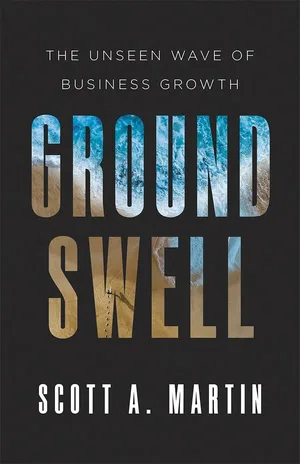
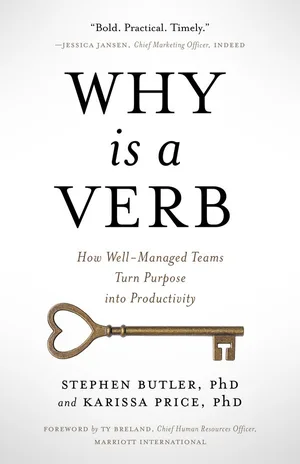
These are Scribe Media authors. Their results are strong, not typical, and nobody can promise them.
A 60-second script
Use this shape to script an author video, or to pick a clip from a talk or podcast. Read it aloud with a timer and cut words until it fits.
| Seconds | Beat | What to say |
|---|---|---|
| 0 to 5 | The problem | The reader's problem, in the words they use. No greeting, no name yet. |
| 5 to 15 | Why you | One sentence on what you have done that makes you worth hearing on this problem. |
| 15 to 35 | One idea | One story or one idea from the book, told so the viewer can use it today. |
| 35 to 50 | What changes | What is different for the reader once they act on the book. |
| 50 to 60 | The book and one next step | Title, cover on screen, and one place to go: the book's page, a free chapter or a call. |
Say you are a finance consultant who wrote a book for founders of companies with 20 to 100 staff about cash forecasting. Your script could read:
(0 to 5) "Most founders find out they are short on cash when it is already too late to fix."
(5 to 15) "I have spent fifteen years building cash forecasts for companies your size."
(15 to 35) "Here is the habit that changes it: every Monday, write down the three biggest payments due in the next thirteen weeks, and when each customer will really pay, not when the invoice says."
(35 to 50) "Do that for a month and payroll stops being a surprise. You see the gap while you still have time to close it."
(50 to 60) "The whole method is in my book, Thirteen Weeks. The first chapter is free at the link below."
This consultant and book are invented to show the shape.
Record three takes and keep the one where you sound most like yourself.
Where to put it
- The book's landing page. Near the top, next to the cover and the buy link, where every viewer is already interested. Host it on YouTube and embed it.
- YouTube. Upload the full version with a description that names the book and links to its page. For a vertical cut, YouTube's help page says Shorts can be up to 3 minutes long.
- LinkedIn. For a book whose job is clients or speaking, this is often where your reader is. LinkedIn's help page says you can add one video to a single post, and that closed captions are added from the desktop experience with an SRT file.
- Email and pitches. Link the video in your newsletter, in follow-ups to prospects, and in speaking pitches, where a clip from a stage does more than any description of your talk.
- Amazon. Do not plan around it. Amazon's KDP help page on Author Central lists adding books, your biography in different languages, best sellers rank, customer reviews, editorial reviews, BookScan sales and follower counts. On October 22, 2026, it did not list video. Spend that time on the bio instead (see your author page).
Sources: YouTube Help: get started creating YouTube Shorts; LinkedIn Help: share a video on LinkedIn FAQ; LinkedIn Help: add closed captions to videos; KDP Help: Author Central.
Captions and accessibility
Captions let people who are deaf or hard of hearing follow the video, and let anyone watch without sound. The W3C's accessibility guidelines (WCAG) ask for captions on all prerecorded audio in video, and say good captions carry more than dialogue: who is speaking, and sounds that matter to the meaning, such as laughter or music.
- Check automatic captions. YouTube's help page says it uses speech recognition to create captions automatically, in the video's default language. Read them before you publish: names, jargon and your book's title are where they go wrong.
- Keep the file. A corrected caption file (SRT is a common format) can be reused on LinkedIn, which needs an SRT file for closed captions.
- Burned-in captions for feeds. For vertical cuts, write captions into the picture, large, high contrast and clear of the bottom edge.
- Say what is on screen. If a key point appears only as on-screen text, including the book's title, say it aloud too.
Sources: W3C: Understanding Success Criterion 1.2.2, Captions (Prerecorded); YouTube Help: add subtitles and captions.
What it should cost in time
These are planning estimates for one finished video; yours will differ.
| Format | Your time | Editing time | What decides it |
|---|---|---|---|
| Author to camera | 2 to 3 hours: script, set up, record takes | 1 to 2 hours | How tight the script is before you press record |
| Talk clip | 1 hour to find the moment and ask permission | 1 to 2 hours | Whether you have the rights and a clean recording |
| Podcast clip | 1 hour to find the minute and ask the host | 1 to 2 hours | Video quality of the original recording |
| Reader on camera | Several hours over weeks to find, ask and get written permission | 2 hours | Whether a real reader wants to do it |
| Animated text | 1 hour to pick lines | 2 to 4 hours | Design skill; templates help |
One author video and one clip, captioned and placed well, beat five rushed ones. Count what each video does, not its views: messages, calls, speaking inquiries, sign-ups. Lesson 10 has the scorecard, and the one-page plan is where the video gets its line and its date.
Give the video a date on your calendar
Enter your launch date, the book's job and your weekly hours, and get a week-by-week plan with the recording, captions and posting dated.